When you step out of Incheon Airport, you’ll quickly realize your reliable Google Maps isn’t so reliable here. To navigate Korea like a local, you need the “Big Two”: Naver Map and Kakao Map.
Both apps now automatically sync with your phone’s system language, making the initial setup easier than ever. But which one should you open when you’re hungry, lost, or rushing for a bus? Here is your practical 2026 guide.
1. The Quick Setup: Where are the Settings?
While the apps usually start in English, here is where to find the manual settings if they don’t.
- Naver Map: Tap the Profile Icon (human shape) at the top right of the search bar → Tap the Gear Icon (Settings) → Language (언어).
- Kakao Map: Tap the ‘All (⋮)’ menu at the bottom right → Tap ‘App Settings’ → Language (언어).
2. Scenario-Based: Which App Should You Use?
Situation A: “I’m looking for the best local food or trendy cafes.”
Winner: Naver Map / Naver is the “Google of Korea.” It has the most extensive database of local businesses.
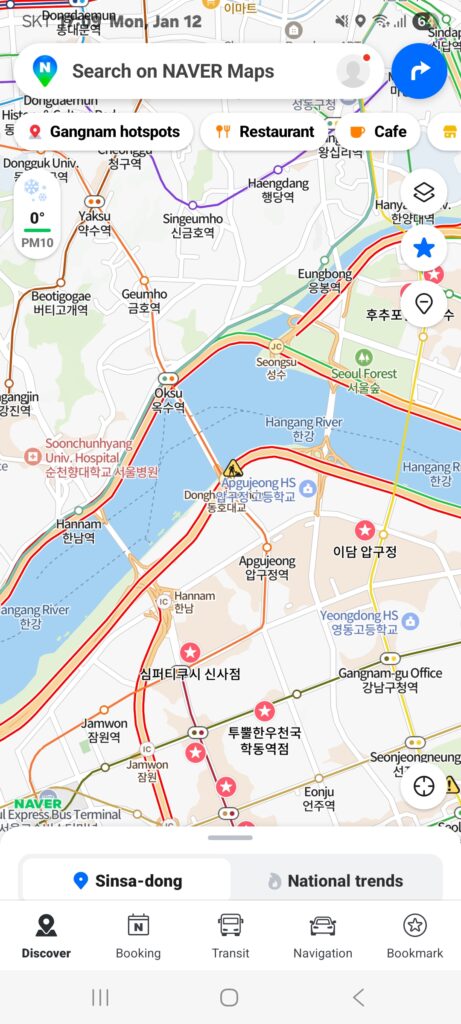
- Deep K-Insight: Use the ‘Smart Around’ tab (swipe up from the bottom). It uses AI to recommend places currently popular among locals near you.
- Pro Tip: If a place doesn’t show up in English, search by its Phone Number. It’s the most accurate “secret code” to find any location in Korea.
Situation B: “I’m navigating complex subway transfers or buses.”
Winner: Kakao Map / When it comes to the “physics” of moving, Kakao Map is slightly faster and more intuitive.
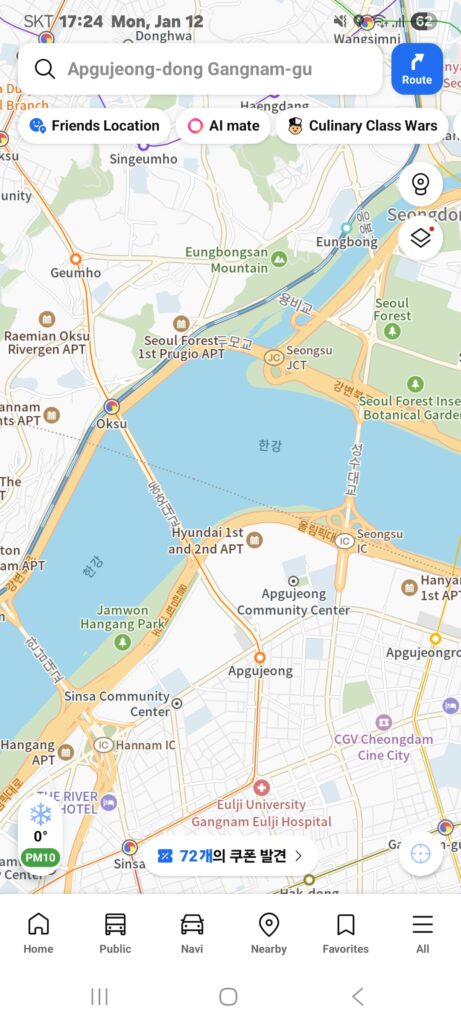
- The “Fastest Transfer” Hack: Kakao Map tells you exactly which car and door number (e.g., Car 3-2) to stand at for the quickest transfer.
- 3D Sky View: Their vector-based 3D maps are incredibly realistic, helping you recognize buildings visually as soon as you step out of the station.
Situation C: “I’m lost in a maze of narrow alleys (like Hongdae or Ikseon-dong).”
Winner: Kakao Map (Road View) / Korea’s alleys can be confusing. Kakao’s ‘Road View’ (the camera icon) is famous for its high-definition, frequently updated 360-degree street images. It helps you see the actual storefront before you arrive.
- How to use: Tap the camera icon on the map. You can drag the pin to see a 360-degree view of any street. It’s perfect for finding the entrance of a tiny cafe in districts like Ikseon-dong or Hongdae.
Situation D: “I’m walking to a specific building address.”
Winner: Naver Map / While Kakao is great for seeing the surroundings, Naver Map’s walking navigation is exceptionally intuitive for foreigners.
- Magnetic Compass: The map rotates very responsively to the direction you are facing, preventing you from starting in the wrong direction.
- Intuitive Interface: It provides a clearer “step-by-step” visual guide for walking paths, which is often easier to follow when you are on foot.
Naver Map vs. Kakao Map: Quick Comparison
| Feature | Naver Map | Kakao Map |
| Place Information | Winner. Extensive local reviews, photos, and seamless booking integration. | Great UI with easy location sharing via KakaoTalk. |
| Public Transit | Reliable subway/bus routes with real-time traffic data. | Winner. Very intuitive bus arrival UI and 3D Sky View for finding stops easily. |
| Narrow Alleys | Standard street view available for most areas. | Winner. High-definition ‘Road View’ is famous for navigating complex alleys. |
| Walking Directions | Winner. Superior magnetic compass response makes it easy to find your way. | Good, but the map rotation can be slightly slower than Naver. |
The Ultimate “Secret Weapon” for Travelers
Even in 2026, some “hot places” might not appear in English. The Mastery Move: Find the place on Instagram, copy the Korean Name (Hangul), and paste it into these apps. It works 100% of the time!
Editorial Note: These apps consume significant data and battery because of high-res maps. We highly recommend having an unlimited eSIM and a portable power bank for your day trips.